Amazon Music

AI Podcast Transcript Generator
This podcast transcript generator turns a public episode or your own recording into text you can search and quote. Read it in your own language, and let AI summarize it and help you study.
What Is Readapod?
Readapod is a podcast transcript generator that turns podcasts and videos into searchable text. Paste a public link, or upload your own recording for podcast to text with timestamps and speaker names.
It detects the spoken language and translates each line into any of 19 languages. Start with a free preview or sign in with 100 welcome credits for full podcast transcription, with summary, chapters, and close reading included.
Works with Apple Podcasts, Spotify, YouTube videos and podcasts, and public Vimeo videos.

How to Transcribe a Podcast to Text
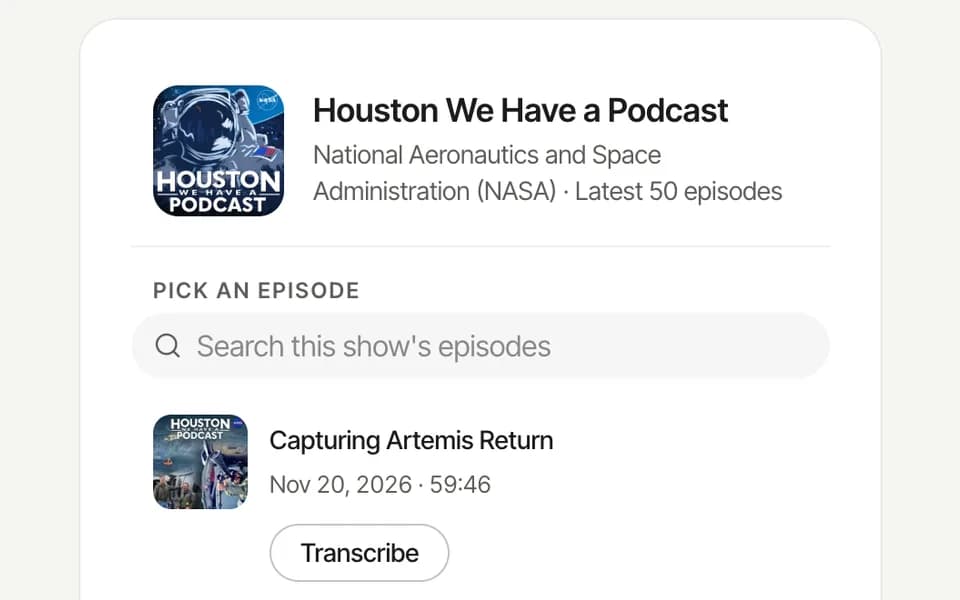
Type a show's name or paste a public link into the podcast transcript generator above. Or upload a file to convert audio to text.
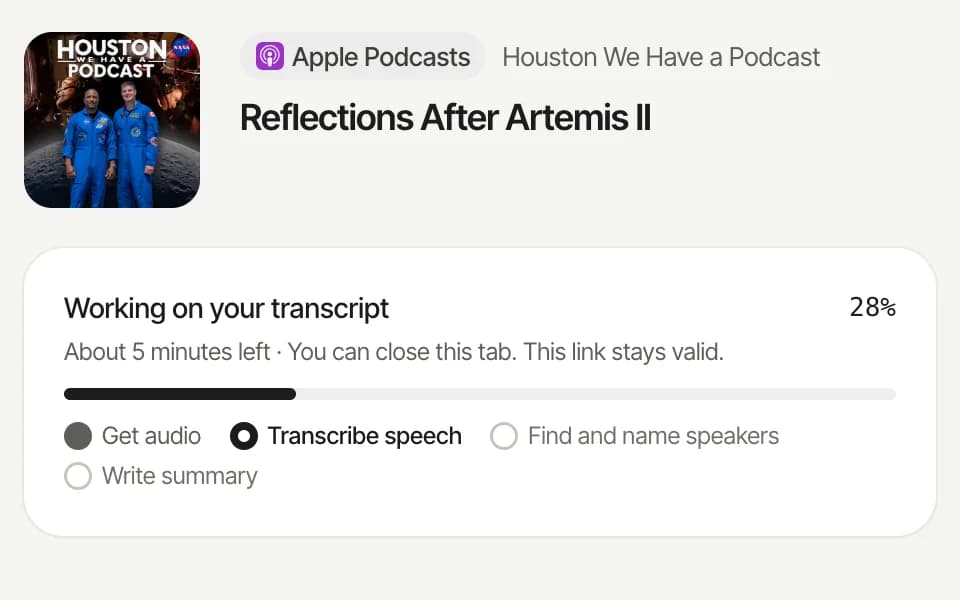
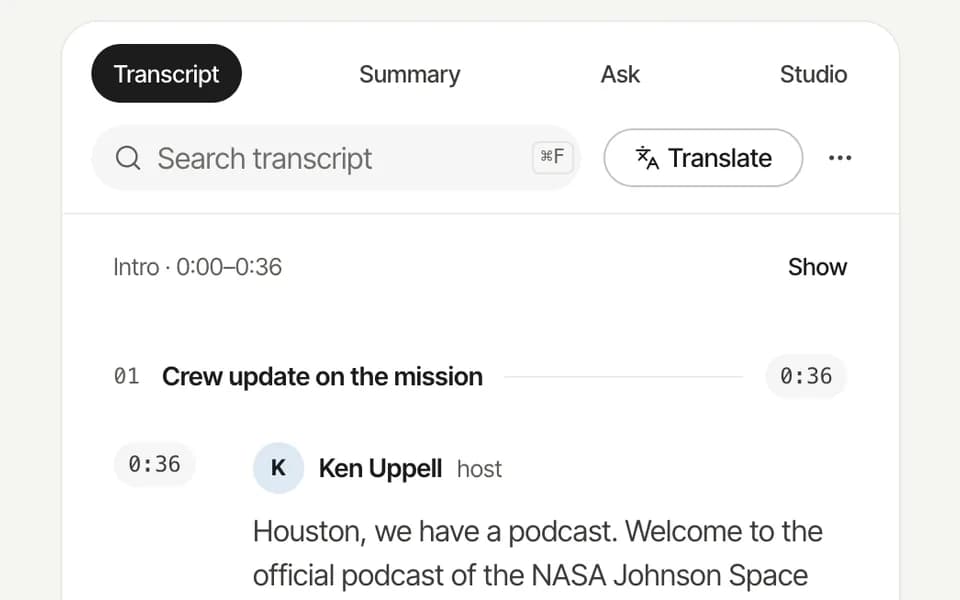
Pick the episode and start a free preview or a full transcript. We add timestamps, split the voices and suggest names said on air. Full transcripts also get a summary and chapters.
Search the text, or sign in to ask AI and build a mind map with outline notes. Answers link to timestamps, so the source is one click away.
One Transcript, Every AI Tool
Find the exact moment.
Search the words you remember, then click a time to hear them. The line being spoken lights up as it plays. When the publisher has its own transcript, it opens at once and in full, even without an account.
Create a transcriptRead the episode like an article.
Every full transcript gets a free summary and chapters. Longer episodes also get a close reading: the episode written up by topic, in the speakers' own words, with the time of each quote. Short ones get key points.
Summarize an episodeAsk the episode, find the source.
Ask about one episode or your whole library for 5 credits an answer. Each answer lists the lines it came from, with their times.
See how Ask AI worksTurn an episode into study notes.
Make a mind map with outline notes, flashcards, a quiz or slides from the transcript. Each costs a few credits, shown before you make it, and points back to the moment it came from.
See the study toolsFollow every line in your language.
Put your language under each line, or read the whole page in it. Prefer to listen? AI voices can read the translated episode aloud in Studio.
Translate a transcriptKeep what matters, where it was said.
Highlight a line, comment on it, or quote it into a note with one key. Every note keeps its time, and all of them wait in your Notebook. Export TXT, SRT, VTT, Markdown, Word or PDF, with a citation for each quote.
Take notes on a podcastWhy Choose This Podcast Transcript Generator
Read in Your Own Language
Pick your language once, from 19. Translate an episode line by line with one press, and its summary and Ask AI answers follow in your language. Translations someone already made open free. Translate a podcast.
Free to Start. No Ads.
Preview 5 minutes without an account. A free account starts with 100 credits, enough for 100 minutes of audio. Every full transcript comes with a summary and chapters. See plans.
AI That Shows Its Source
Chapters, flashcards and answers link to the moment they came from. Close-reading quotes are checked word for word against the transcript. See the podcast summarizer.
Learn a Language as You Listen
Loop a line, slow it down or type what you hear. Look up words in their sentence and review them when they're due. Practice listening.
Keeps Up With Your Shows
Subscribe to a podcast or a YouTube channel. On Plus and Pro, turn on automatic transcripts, and each new episode is ready in your library when it comes out.
Public Audio, Private Uploads
The podcast transcript generator takes links from Apple Podcasts, Spotify, YouTube, Vimeo or a show's public feed (RSS). It only uses audio publishers share, never paid episodes, and your uploads stay private. See supported platforms.
Who Uses a Podcast Transcript Generator


Podcast Transcript Generator FAQs
What is a podcast transcript generator?
A podcast transcript generator turns spoken audio into searchable text. Readapod adds timestamps and speaker names, so you can find and check a passage. A full transcript also gets a free summary and chapters, and longer episodes a close reading.
Is this podcast transcript generator free?
Yes, to start. Preview the first 5 minutes without an account, up to 3 episodes a day. A free account starts with 100 credits, enough for 100 minutes of audio, and keeps 3 episodes in your library. After that, a full transcript uses 1 credit a minute, and exports stay free. Paid plans start at $9.90 a month. See plans.
How do I get a transcript of a podcast?
Paste an episode link into the podcast transcript generator, or search for the show. Pick the episode, then start a preview or a full transcript. If the publisher already has a transcript, Readapod uses it. Otherwise it transcribes the recording.
How accurate is AI podcast transcription?
Any podcast transcript generator is only as good as the recording. Readapod uses a publisher transcript or captions when it can. Otherwise a Whisper speech model writes the text. Names, accents, crosstalk and music can cause errors, so check quotes against the source.
What do credits pay for?
Full transcripts include summary, chapters, close reading, and speaker names. Ask AI, study tools, and translations use credits too, while exports stay free. Failed runs refund automatically, and paid credits carry over; see pricing.
How does the podcast transcript generator name speakers?
Readapod separates the voices. Then AI reads the transcript and show notes for names, such as a host introducing a guest. It suggests only names it finds and shows the line each came from. The rest stay Speaker 1 and Speaker 2.
Which languages does it support?
Apple Podcasts makes its own transcripts in 11 languages. Our speech model detects the spoken language itself, so it isn't tied to that list. Accuracy varies by language. Sign in to translate a transcript into one of 19 languages, with its summary and chapters. The app itself comes in English, Spanish and Simplified Chinese.
What happens to the audio I upload?
Your upload stays private. With an account, the audio stays with the episode so you can play it back, and only you can; delete it whenever you like. Without one, it is deleted when the transcript is done. See the privacy policy.
Try the Podcast Transcript Generator Free
Paste a link and read the first 5 minutes free. No account, no card.