AI Apple Podcasts Transcript Generator

Use this Apple Podcasts transcript generator to turn any public episode into searchable text you can export in full. Every line carries a timestamp, and each voice we can tell apart gets a label.

What Is an Apple Podcasts Transcript Generator?

Apple Podcasts displays transcripts inside its app, but you can only copy 200 words at a time. This Apple Podcasts transcript generator gives you the entire episode as text, with a summary and chapters.

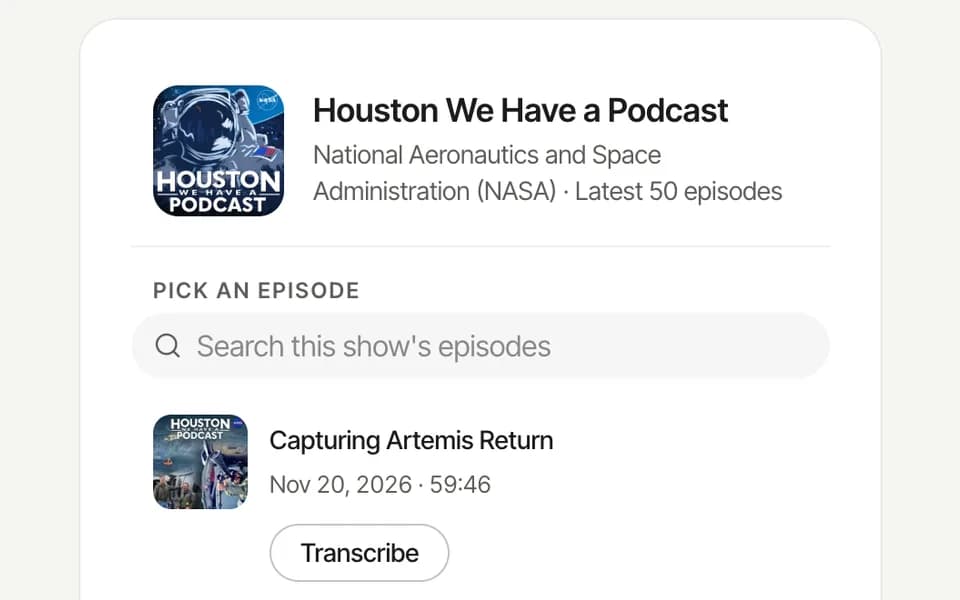
Copy a link on iPhone, iPad, Mac, or podcasts.apple.com. An episode link opens that episode, and a show link lists its 50 newest. Nothing to install and no Apple account needed.

If Apple's transcript button is missing or grayed out, Readapod transcribes the publisher's public audio instead. For other apps, open our any-source transcript tool.

A woman with earbuds reading a tablet in a cafe, next to the Apple Podcasts logo

How to Get a Transcript from Apple Podcasts

Paste any public Apple Podcasts episode or show link from iOS, Mac, or the web.

  1. In Apple Podcasts, tap Share and copy the link. On Mac or the web, choose Copy Link from the More menu.

  2. Paste the link into the Apple Podcasts transcript generator above. You see the title, length, and cost before anything runs.

  3. Click any timestamp to hear that line. Download the full Apple podcast transcript as TXT, SRT, VTT, Markdown, Word, or PDF.

Apple Podcasts episode page for CHAPEA 2: Audio Log 4 with the Share button in the top corner

Why Listeners Switch to This Apple Podcasts Transcript Generator

Read, search, and export full episodes on any browser—without Apple's 200-word copy cap or device limits.

Export the Full Text, Not 200 Words at a Time

When you need an Apple podcast transcript download for notes, quotes, or study, copying chunk by chunk breaks your flow. Export the complete episode in one click.

  • Download TXT, SRT, VTT, Markdown, Word, or PDF with timestamps
  • Runs on Windows, Android, Mac, and Chromebook with no Apple ID
  • Opens publisher RSS transcripts instantly and in full when present
Need the MP3? Use Apple Podcasts Downloader
Export menu with YouTube chapters, Podcasting 2.0 JSON, Word, and SRT caption downloads

Use It as an Apple Podcast Summarizer Too

Every full transcript includes an AI overview, timed chapters, and a topic-by-topic close reading at zero extra credits—even outside Apple's English-only chapter limit.

  • Summary & close reading written in the episode's spoken language
  • Clickable chapters that jump straight to the exact second
  • Export clean Markdown for Obsidian, Notion, or team briefs
Explore the Podcast Summarizer
The episode summary, written from the transcript

Ask AI, Cite Quotes, and Translate Into 19 Languages

Go past a plain Apple podcast AI transcript. Query the episode, cite exact timestamps in APA, MLA, or Chicago, or read bilingual lines across 19 languages.

  • Ask AI answers strictly from the transcript and cites its minute
  • Auto language detection—not restricted to Apple's 11 languages
  • One-click APA, MLA, and Chicago citations with exact timestamps
See how Ask AI works
Chapter 1 of an episode with its summary, clickable moment, and Ask About This Chapter button

What a Full Apple Podcasts Transcript Export Saves You

Apple caps manual copy-pasting at 200 words per grab. On a 93-minute interview like *Hidden Brain*'s Music and Your Mind (over 16,000 words), pulling the text by hand would take 80+ copy steps. One run in this Apple Podcasts transcript generator gives you the entire episode at once:

  • Exports the complete episode as Word, Markdown, PDF, TXT, SRT, or VTT in one click—no 200-word ceiling.
  • Builds a summary, timed chapters, and close reading automatically in the episode's spoken language.
  • Works identically across public RSS shows, from 7-minute *6 Minute English* episodes to multi-hour history series.
Search & jump · Any long episode

Type a guest name, book title, or concept in the search box and click any hit to play that exact second.

When Apple Podcasts Transcripts Are Missing

Apple's grayed-out transcript button happens when a show turns transcripts off, uses an unsupported language, or hasn't been processed yet.

  • Missing button: Paste the link here and Readapod transcribes the public audio with Whisper.
  • Subscriber-only shows: Paid Apple Channels have no public RSS feed and cannot be read.
  • Names & quotes: Machine text is always labeled—click the timestamp to verify unusual names.

Apple Podcasts Transcripts vs. Readapod

Compare Apple's built-in app view with this online Apple Podcasts transcript generator.

FeatureApple Podcasts appReadapod
Copy or export full text200 words at a timeFull TXT, SRT, VTT, Markdown, Word, PDF
Devices & OSiPhone, iPad, MacAny browser (Windows, Mac, Android)
When transcript is missingButton grayed outTranscribed from public audio
Speaker namesOnly if publisher adds themNamed from what hosts say on air
Transcript languages11 languagesAuto-detected across spoken languages
AI chapters & summaryChapters: English 10+ min onlySummary, close reading & chapters in episode language
Translation & Ask AISelected snippet onlyFull line-by-line (19 languages) + cited Q&A

Apple Podcasts Transcript Generator FAQs

Need help with an episode? Contact us.

Is This Apple Podcasts Transcript Generator Free?

Yes, to start. Preview 5 minutes free without an account (3 episodes a day), or sign up for 100 welcome credits (100 minutes). Full transcripts use 1 credit a minute, with summary and chapters included; see plans.

How to Copy Apple Podcasts Transcripts in Full?

Apple limits you to 200 words per copy. To copy an entire Apple podcast transcript, paste the episode link above and download TXT, Word, or Markdown.

How to View Apple Podcasts Transcript on Computer or Windows?

Open podcasts.apple.com on Windows, Mac, or Linux, copy the episode link, and paste it here. This Apple podcast transcript Windows and desktop viewer needs no Apple device or sign-in.

Why Are Apple Podcasts Transcripts Not Working or Missing?

A grayed-out button means Apple hasn't generated text or the creator disabled it. When Apple podcasts transcripts are missing or not working, Readapod transcribes the public RSS audio directly.

Apple Podcasts Transcripts Languages: Which Ones Work?

Apple supports 11 transcript languages and generates chapters only for English episodes over 10 minutes. Readapod auto-detects the spoken language and translates into 19 languages.

Can I Auto-Transcribe New Episodes from an Apple Podcasts Show?

Yes, on Plus and Pro. Paste the Apple Podcasts show link in Subscriptions and toggle automatic transcripts so new public RSS releases appear in your library automatically.

Which Apple Podcasts Episodes Work Here?

Public episodes up to 1 hour on Free, 3 hours on Starter, and 6 hours on Plus and Pro. Paid subscriber channels aren't public; for your own recordings, upload audio to text.

Try the Apple Podcasts Transcript Generator

Copy any public link from Apple Podcasts and preview the first 5 minutes free.