This podcast downloader saves any public episode as a clean audio file you actually own. Paste an RSS, Apple Podcasts, or Spotify link to download the publisher's original MP3 or M4A—free, with no account or app.
Play or Save a Real Episode
Listen to a real public RSS audio file below, or download the MP3 directly to your device.
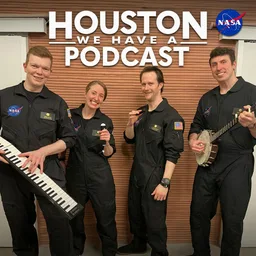
Houston We Have a PodcastCHAPEA 2: Audio Log 438:14 · Publisher's original file
A show link lists its latest 50 episodes with dates and durations. Paste an older episode's own link to open it directly.
Press Download MP3. Readapod saves the publisher's file under the episode title, ready for any player or USB drive.
Why Use an Online Podcast Downloader Instead of an App
Podcast apps trap downloads in hidden folders. Readapod hands you a portable file—plus text and AI notes whenever you need them.
A Portable MP3 File, Not App Cache
Downloads inside mobile apps stop playing if you switch devices or a feed disappears. Saving a standard audio file lets you play it anywhere.
Works offline everywhere: computer, Apple Watch, car stereos, waterproof headphones, and MP3 players
Named by episode title instead of random hash strings
No re-encoding: you get the publisher's exact MP3 or M4A quality
Turn the Same Episode Into Text, Summaries, or Translations
Need to search a quote or read an episode offline too? One click sends the same link into our podcast transcript generator with summaries and chapters included.
Zero-copy audio: runs straight from the public RSS feed
19-language translation and bilingual SRT or Word exports
Completely private: no tracking pixels or browser extensions needed
What Happens When a Podcast Downloader Reads an RSS Feed
Every open podcast publishes an RSS feed with direct audio enclosure URLs, as Apple Podcasts requirements specify. Knowing three RSS quirks saves surprises when downloading episodes:
Direct publisher enclosure: Your file downloads straight from the show's host (such as Megaphone, Libsyn, or Acast) with original audio quality and no re-encoding.
Missing or 0-byte size headers: Many feeds omit accurate byte counts in XML, so download progress relies on the host's response rather than the feed tag.
MP3 vs. M4A extensions: Most shows ship MP3; some publish M4A (AAC), which plays natively on phones, Macs, Windows, and modern car stereos.
Why a Podcast to MP3 Download Can Fail
Readapod checks public feeds only and never breaks DRM or paywalls. Here are the three reasons an episode will not appear:
Spotify exclusives and paid tiers: Episodes without a public RSS feed return a "no public audio" notice.
Older back-catalog episodes: A show link lists the newest 50; paste the specific episode link to reach older releases.
Ways to Save Podcasts Offline
Method
Best for
Main limit
Readapod podcast downloader
Saving single episodes as portable MP3 files in any browser
Latest 50 per show link; public feeds only
Mobile apps (Apple, Spotify)
Quick offline listening on your own phone
Files stay locked inside the app
Desktop clients (gPodder)
Mirroring an entire multi-year show archive
Requires desktop software setup
Podcast Downloader FAQs
How to download a podcast to MP3 on a computer or phone?
Paste an RSS, Apple Podcasts, or Spotify link into the box above. Pick your episode and press Download MP3 to save the audio file.
Does it convert podcasts to MP3 or keep the original file?
Most shows already ship as MP3, so Readapod saves the publisher's original file with zero re-encoding. Shows published in M4A download as M4A.
Is using an online podcast downloader safe and free?
Yes. Readapod reads public RSS feeds only, with no installs or logins. Downloading audio is free; optional transcripts start with 100 welcome credits—see pricing.
Why does it say there is no public audio?
Spotify-exclusive episodes and paid subscriber feeds do not publish open RSS audio. Try the show's public website or Apple Podcasts link instead.
Can I download a whole podcast archive at once?
No. You save one episode at a time. For bulk archiving, install a desktop RSS client like gPodder.
Is it legal to download podcasts for offline listening?
Shows distribute public MP3 files openly for personal listening. Keep saved files for your own devices, and never re-upload or resell them; see our terms.