YouTube Video to Notes With Timestamps
Turn a YouTube video to notes you can study and edit. Paste a lecture, tutorial, or video podcast to open Watch and Note, build a mind map or Anki flashcards, and export Markdown with clickable timestamps.
A Real Lecture-Length Video, Turned Into Notes
Take Notes From YouTube Videos Without Pausing
Revise a Recorded Lecture
For students. Read the chapters to see how the lecture is built. Then search the text for the terms your teacher stressed.
Keep the Steps From a Tutorial
For self-taught learners. The chapters list what is covered, with times, so you can jump back to the step you're stuck on.
Quiz Yourself on a Talk
Before an exam or a meeting. Make flashcards or a quiz from what was said, for 10 credits each.
Save Notes to Notion or Obsidian
For anyone building a notes library. Export Markdown with the summary, key points, chapters and timed transcript.
How to Turn a YouTube Video to Notes in 3 Steps
 1
Paste the Video Link
Copy the link from YouTube's Share button and paste it in the box above. Shorts and live links work too.
 2
Sign In for the Whole Video
Without an account, you read the first 5 minutes of text. Sign in for the whole video and its notes. A new account starts with free credits.
 3
Build Outline Notes, Cards, and Exports
Open Watch and note to capture lines with ⌘↵, build an editable mind map or Anki deck in Studio, and export clean Markdown for Notion or Obsidian.
YouTube Notes You Can Check Against the Video

Watch and Note Side by Side
Play the video beside your own note editor. Press ⌘↵ to drop the live sentence with its timestamp, or press H to highlight a key line.
Editable Mind Maps and Outlines
Turn a dense lecture into a structured outline or mind map (10 credits). Reorder branches, add your own thoughts, and export to XMind, OPML, or Markdown.
Anki Flashcards and Self-Quizzes
Generate flashcards or a multiple-choice quiz (10 credits each). Every answer links back to its timestamp and exports straight to Anki CSV. See AI study tools.
Works Even Without Captions
When a video has captions, we use them first. If not, we transcribe the audio and separate speakers before building your notes.
Ask AI Across Your Study Library
Ask what a speaker meant by a term for 5 credits. Each reply cites the exact line and minute so you can verify it in one click.
Clean Markdown for Notion and Obsidian
Export notes, highlights, chapters, and summaries as Markdown, Word, or PDF—ready to paste straight into your personal knowledge base.
Taking Notes From YouTube Videos Is Slow
A lecture holds one idea you need, buried somewhere in forty minutes. Finding it again means scrubbing the timeline, and taking notes by hand means pausing every thirty seconds.
Working from timed text breaks that bottleneck. Skim the chapters first, jump straight to the dense explanation, and press ⌘↵ in Watch and Note to save exact lines without stopping playback.
Our YouTube video to notes converter gives you structured text, not a video download. You keep watching on YouTube and study from notes you can edit and export.
Example Study Output: Mind Map, Flashcards, and Timestamp Check
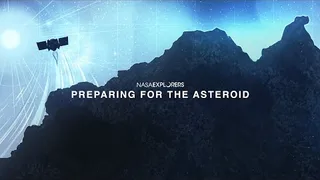
From the 26-minute science lecture sample above, the YouTube video to notes converter built:
- an editable mind map grouped by topic that also reads cleanly as outline notes;
- Anki-ready flashcards and a multiple-choice quiz, each linked back to the minute it tests.
What is the exogenous delivery hypothesis? The idea that carbon-rich asteroids delivered important organic compounds to early Earth that triggered the origin of life.
Honest check: caption cues can land a few seconds early—on one card, the investigator's name (Dante Lauretta) was spoken at 3:00 rather than the 1:43 chapter mark. Click the timestamp before memorizing dates or names.
How to Take Notes From a YouTube Lecture
- Read the chapters first, so you know where the lecture is going.
- Watch at your own speed and skip the parts you already know.
- Search the text for the terms your teacher stressed, and read each one in context.
- Make flashcards and test yourself the next day.
- Export Markdown into your notes app. Obsidian and Notion both read it.
YouTube Video to Notes: FAQs
Is this YouTube to notes converter free?
Yes, to start. Preview 5 minutes without an account, or sign up for 100 credits (100 minutes) to convert YouTube video to notes in full. Summary, chapters, and close reading come included at 1 credit a minute.
How do I turn a YouTube video to notes accurately with AI?
Paste the link to build AI notes directly from the full transcript. Every section carries clickable timestamps so you can double-check any point against the video.
Can I get notes from a video without captions?
Yes. When a video has no captions, or they can't be read, we transcribe the audio and label the speakers. That takes longer than reading captions.
Does Readapod download YouTube videos?
No. YouTube's terms don't allow it, so we only make transcripts and notes. Keep watching on YouTube.
Can AI summarize a long lecture?
Yes. Videos up to 6 hours work on Plus and Pro, 3 hours on Starter and 1 hour on Free. The summary, chapters and a close reading come with the full text once you sign in.
Which videos don't work?
Private and age-restricted videos, and videos that don't allow embedding, can fail. A playlist link lists its videos so you can pick one. To follow a whole channel, subscribe to its `@handle` in Subscriptions.
Can ChatGPT turn a YouTube link into notes?
From the link alone, a chat assistant may only see the title and description. Give it the words and it works from what was said: export Markdown here and attach the file.
Can I export YouTube notes as PDF, Notion, or Obsidian files?
Yes. Export your notes as clean PDF or Word files for reading, or download Markdown with chapters, highlights, and timestamps for Notion or Obsidian.
Turn Your Next YouTube Video to Notes
Paste a YouTube link and read the video as notes.