AI YouTube Video Summarizer
Paste a link and this YouTube video summarizer writes a summary and chapters from the full transcript. Short videos get key points, and longer ones a close reading, written up by topic in the speakers' own words. Click any timestamp to jump to that second. A free account starts with 100 credits. Without one, you preview the first 5 minutes of the transcript.
A Real YouTube Summary, Point by Point
Three Ways to Use a YouTube Video Summarizer
Clear Your Watch Later
Read the summary first, then decide if the video deserves your hour.
Study a Two-Hour Lecture
Use the chapters as a map. Jump to the part you missed, and ask about the step you didn't follow.
Brief Someone on a Talk
Export your summary and key points as Word or Markdown. Each point keeps its timestamp, so a colleague can check it.
How to Summarize a YouTube Video
 1
Paste the Link
Copy the link from YouTube's Share button and paste it above. Watch links, youtu.be links and Shorts all work.
 2
Sign In for the Full Video
Without an account, you read the first 5 minutes of the transcript. With an account, Readapod works through the whole video, and a new one starts with free credits.
 3
Read, Jump and Ask
Read the notes, then click a chapter or any time to jump to that second. Use Ask when you want more.
What You Can Do With Every YouTube Summary

Jump to the Second It Was Said
Every chapter is a link, and so is each time in the notes. Click one and the YouTube player on the page starts at that second.
Ask Follow-Up Questions
A question costs 5 credits, and each part of the answer cites its minute. Ask can also search the other videos and podcasts in your library.
Turn It Into Study Material
Make a mind map with outline notes, flashcards or a quiz for 10 credits each. Flashcards export to Anki. See YouTube video to notes.
Export With Timestamps
Download Markdown or Word with the summary, key points, chapters and the full transcript. See every export format.
Why This YouTube Video Summarizer Reads the Whole Transcript
A summary is only as good as the text behind it. So before it writes a word, Readapod gets the full transcript. It uses YouTube's own captions when a video has them. When it doesn't, we transcribe the audio. That is why it works on videos without subtitles, where caption-only tools stop.
The YouTube video summarizer is told to use only what was said. It skips ad reads and sponsor messages, and writes in the video's language. You get three to five sentences of summary, five to eight key points and up to twelve chapters. On a longer video, a close reading takes the key points' place on screen. Word, Markdown and PDF files keep both.
The transcript stays on screen too. When a point surprises you, read the exact words behind it. That makes this an AI video summarizer you can check line by line. If the text is all you need, use the YouTube transcript generator.
One Real YouTube Video Summary
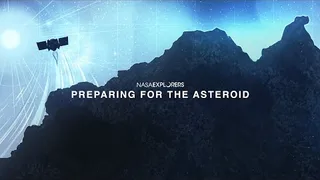
The example above is what the YouTube video summarizer made from NASA Explorers, Season 6, Episode 4: Preparing for the Asteroid. NASA works are public domain, so we can show the full result.
- Its captions gave the transcript, so no audio had to be transcribed.
- A short summary, then chapters and a close reading, each with its time.
- Every chapter and section links to the second it was said.
Videos without captions take longer, because we transcribe the sound first.
YouTube Video Summarizer FAQs
Is this YouTube video summarizer free?
Yes, to start, with no card. A free account starts with 100 credits, enough for 100 minutes of video. A full transcript uses 1 credit a minute, with its summary, chapters and key points or close reading included. Exports are free, and questions and study tools use credits too. Plans and credits cover the rest.
How do I summarize YouTube video links with AI?
Paste any link into this YouTube video summarizer and sign in. Readapod builds the full transcript first, then writes an AI overview, timed chapters, and a close reading with clickable timestamps.
Does this YouTube video summarizer work without subtitles or transcript?
Yes. Even on videos without subtitles or captions, we transcribe the spoken audio first and summarize that. Private, members-only, and age-restricted videos cannot be read; upload your audio instead.
Why does it say the video doesn't allow embedding?
Some owners switch embedding off. We can't read those videos, so you'll see that message. Upload the audio instead if you have it.
Can ChatGPT summarize a YouTube video?
Only as well as the text it gets. A chatbot that can't read the transcript has only the title and description. Export ours and paste it into any chatbot, or use the summary written here.
Doesn't YouTube already make AI summaries?
On some videos. YouTube says its Ask feature is "currently available in select languages and regions" and shows on select videos. Our YouTube video summarizer works on public videos that allow embedding, in any language, and you can save and export what it writes.
Which links work, and how long can a video be?
One video per link: watch links, youtu.be links, Shorts, live and embed links. A playlist link lists its videos so you can pick one. To follow a whole channel, subscribe to its `@handle` in Subscriptions. Full runs cover videos up to 1 hour on Free, 3 hours on Starter and 6 hours on Plus and Pro.
What language is the summary in?
The language spoken in the video. You can translate the transcript line by line into any of 19 languages for 1 credit a minute.
Do I need a YouTube summarizer extension?
No. The YouTube video summarizer runs in the browser on your phone or computer. There is nothing to install and nothing to connect to your YouTube account.
Are my summaries private?
Yes. A summary opens only for the account that made it. Paid plans can publish a read-only share link, and nothing is shared unless you switch that on.
Try the YouTube Video Summarizer on Your Next Video
Paste a link. Create a free account when you want the whole video.