Audio to Text Converter

Turn audio to text online with timestamps and speaker separation. Upload an MP3, M4A, WAV, or MP4 file to transcribe audio to text privately, then summarize, search, or export.

Drop an audio or video file here, or

A Real Audio to Text Result

Explore a live timestamped transcript with speaker labels, chapters, and synced playback before uploading your own file.

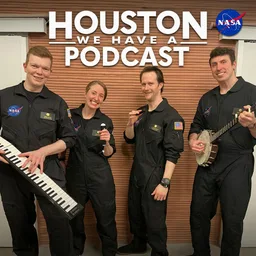
CHAPEA 2: Audio Log 4

Houston We Have a Podcast · Ep. 442 · 6 speakers · 38:14

0:00
38:14

How to Transcribe Audio to Text in 3 Steps

Drop an audio or video file into this online audio to text converter—no software install required.

  1. Drop a file above or click Choose File. Supports MP3, M4A, WAV, FLAC, OGG, AAC, plus MP4, MOV, and WebM video.

  2. We convert audio to text, separate speakers, suggest names heard on air, and write a summary. You can close the tab while it finishes.

  3. Click any timestamp to replay that line. Download TXT, Markdown, Word, PDF, SRT, VTT, or chapter files.

Upload box for audio to text, with a Choose File button

What People Convert From Audio to Text

One private workspace for interviews, lectures, Zoom calls, voice memos, and unreleased podcasts.

Turn Recorded Interviews Into Verifiable Quotes

Stop scrubbing hour-long tapes for one sentence. Speaker detection separates interviewer and guest so every quote keeps who said it and when.

  • Auto-suggested names when speakers introduce themselves, editable anytime
  • Click-to-verify audio plays your private upload right beside the text
  • Export clean Word or Markdown straight into your draft
See Interview Transcription
Quotes pulled from an uploaded interview transcript, each with speaker name and timestamp

Turn Class Lectures Into Study Notes and Cards

Upload a recorded lecture and turn speech into text with chapters, a free summary, and Studio study tools built from the full talk.

  • Chapter timeline maps every topic covered in a long class
  • Mind maps, flashcards & quizzes export straight to Anki CSV
  • Ask AI explains confusing terms and cites the exact minute
See Lecture Transcription
Lecture transcription: a recorded class split into chapters with short summaries

Transcribe Zoom Recordings and Phone Voice Memos

Upload M4A voice memos from iPhone or MP4/M4A Zoom recordings—no meeting bot joins your call. Search decisions, rename speakers, and keep uploads private.

  • Works with M4A, MP3, MP4, MOV, and WebM up to 500 MB
  • Private playback stays restricted to your account; delete audio anytime
  • Translate lines across 19 languages for bilingual teams
Transcribe Zoom Recordings
Transcribe Zoom recordings: each voice separated in the speaker list with timestamps

Transcribe Podcast Audio to Text Before Publishing

Creators upload raw mixes to draft show notes, chapters, and accessibility captions before an episode ever hits an RSS feed.

  • Free summary, close reading, and timed quotes included
  • One-click Copy YouTube chapters (0:00 start) & Podcasting 2.0 JSON
  • Download SRT and VTT subtitle files for Apple and Spotify
Open Podcast Show Notes Generator
Timed chapter list generated from uploaded podcast audio

File Sizes, Formats, and Speed

Most files finish in a few minutes. Upload limits are 100 MB without an account and 500 MB signed in (max length: 1 hour Free, 3 hours Starter, 6 hours Plus/Pro).

  • Shrink huge WAVs first: 1 hour of stereo WAV exceeds 600 MB, while a 128 kbps MP3 is ~58 MB (64 kbps mono is ~29 MB).
  • Send the final mix: Each upload makes one transcript, so mix separate mic tracks before uploading.
  • Clear audio wins: Music beds, crosstalk, and poor phone lines can blur speaker labels.

Why an Audio Upload Might Stop

When an upload fails, your credits refund automatically and the message explains what happened:

  • File over 100 MB (guest) or 500 MB: Sign in for 500 MB, or export as MP3 or M4A.
  • Unsupported file type: Upload audio (MP3, M4A, WAV, FLAC, OGG, AAC) or video (MP4, MOV, WebM).
  • Library full (3 on Free): Move an old episode to Trash or upgrade.
  • "We could not hear any speech": Check that you exported the spoken track, not background music.
Supported Audio and Video Formats at a Glance

Every upload format follows the same 100 MB guest / 500 MB signed-in limit and exports to TXT, Word, Markdown, PDF, SRT, or VTT.

FormatCommon sources1-hour sizeTypical workflow
M4AiPhone Voice Memos, Zoom audio-only files~30–60 MBSearchable outlines, meeting minutes
MP3Podcast episodes, handheld voice recorders, exported mixes~29–58 MBTranscripts, show notes, quotes
WAV / FLACStudio mics, recorded interviews, field recorders300–600+ MBConvert stereo WAV to MP3 if over 500 MB
MP4 / MOV / WebMLocal Zoom recordings, screen captures, lectures150–450 MBSpeaker-labeled notes and study cards
OGG / OPUS / AACMessaging voice notes, browser and Android recorders~15–45 MBQuick text, highlights, and translations

Audio to Text FAQs

How Do I Transcribe Audio to Text Online?

Upload your file above to convert speech into clean text automatically. Our speech model detects the spoken language, timestamps every line, and separates speakers so you can search, rename, or export.

Can I Transcribe Audio to Text Free?

Yes, to start. Preview 5 minutes free with no login (3 files a day), or sign up for 100 welcome credits (100 minutes). After that, full runs use 1 credit a minute; see pricing.

Can I Convert MP3 or M4A to Text?

Yes. MP3 and M4A (including iPhone voice memos) are the most common uploads. WAV, FLAC, OGG, AAC, MP4, MOV, and WebM work too.

Can ChatGPT or Microsoft Word Transcribe Audio to Text?

Microsoft 365 Word caps web transcription by monthly minutes, and standard chat windows cannot process long recordings directly. Upload up to 500 MB here for timestamps, speakers, and Word export.

What Happens to My Uploaded Audio File?

It stays private. With an account, we keep the audio with your transcript so only you can play it back, and you can delete it anytime. Guest uploads delete when the job finishes, and unfinished uploads clear after 24 hours; see our privacy policy.

Can It Name Speakers and Answer Questions About My Recording?

Readapod suggests speaker names heard in the audio (others stay Speaker 1, Speaker 2, and you can rename anyone). You can also query the recording with Ask AI and cite timestamps.

Which Languages Work for Translation?

Whisper auto-detects the spoken language when you upload a recording. Use our built-in translator to read bilingual lines in 19 languages and export translated Word or SRT files.

Convert Your Audio to Text Now

Upload an MP3, M4A, WAV, or MP4 file above for a timestamped transcript in minutes. First 5 minutes free without an account.

Drop an audio or video file here, or