AI YouTube Subtitle Translator
This YouTube subtitle translator puts every line of a video in your language, right under the original. Read it in step with the video. Then download subtitle files (SRT, VTT), translated or in two languages.
A Real Video With Translated Subtitles
Three Jobs for a YouTube Subtitle Translator
Follow a Video You Can't Understand
A lecture in Korean or a repair video in German: read each line in your language beside the picture.
Learn From Both Languages
Watch a short part without help. Then read the line you missed, with its translation underneath.
Draft Subtitles for Your Own Channel
Translate your video, review the text, then export SRT or VTT. YouTube accepts both formats in YouTube Studio.
How to Translate YouTube Subtitles
 1
Paste the Link
Copy the link from YouTube's Share button and paste it above. Sign in so the whole video is transcribed.
 2
Pick Your Language
When the transcript is ready, choose Translate. Your language comes first, then the rest of the 19 languages. Read Both, or the translation alone.
 3
Download the Subtitles
Choose Export, then SRT or VTT. Both writes two-line cues. The translation alone writes your language only.
What You Get From the YouTube Subtitle Translator

Videos Without Subtitles, Too
When a video has no captions, we transcribe the audio first. Broken captions, such as live ones in all capitals, get the same treatment.
Every Line Keeps Its Second
Click a timestamp and the YouTube player on the page jumps to that line. Hear it while you read it.
No Lines Lost
If the AI returns more or fewer lines than it was given, we reject the reply. Cues stay matched to their times.
Pay Once per Language
A new translation into any of 19 languages uses 1 credit a minute. Opening it again, switching views and exporting cost nothing.
A Page, Not a Player Add-On
The YouTube subtitle translator starts from the video's own captions when it has them. AI then translates every line, and each one keeps its timestamp. So the translation works as a second subtitle track.
Browser extensions usually translate captions inside YouTube's player as it plays. Here you get a page instead. The player sits beside the whole text, so you can read ahead or go back.
The sound stays as it is: you hear the speaker and read your language. For the original text only, use the YouTube transcript generator.
Example Output: One Video Line Across Four Languages
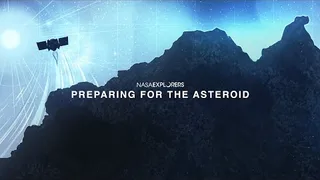
When we translated the 26-minute science documentary above into Spanish, French, and Chinese, every language kept the exact same joined cues and timestamps. Here is how one line aligned across all four tracks:
The science speaks for itself.
La ciencia habla por sí misma.
La science parle d'elle-même.
科学价值不言而喻。
One slip: the line at 12:46 starts with the capsule approaching Earth at over 27,000 miles per hour. The Spanish and Chinese kept that clause. The French dropped it.
So read a translation as a draft. When a detail matters, click the timestamp and listen. Our 15-second cues are also longer than most on-screen subtitles. Split them before you publish them on your own channel.
Translated Subtitle Files You Can Download
| File | Both | Translation alone |
|---|---|---|
| SRT | Two-line cues: original over translation | Cues in your language only |
| VTT | Two-line cues: original over translation | Cues in your language only |
| TXT, Markdown, Word, PDF | Each translated line under the original | The translation, with timestamps |
| File name | Title, .bilingual, language code: title.bilingual.es.srt | Title, then language code: title.es.srt |
YouTube Subtitle Translator FAQs
Is this YouTube subtitle translator free?
Free to start: new accounts get 100 credits. The transcript uses 1 credit a minute, and a translation into any of 19 languages uses 1 credit a minute. Reopening or exporting a translation you made costs nothing. See plans and credits.
How do I translate YouTube subtitles or captions to English?
Paste the link above and sign in. Choose Translate and pick English to translate YouTube captions line by line, with every timestamp preserved.
Can I download translated subtitles as an SRT file?
Yes. Switch to Both or the translation alone, then choose Export for SRT, VTT, TXT, Word, or Markdown. It works as a full YouTube transcript translator too; see every export format.
What if YouTube auto-translate subtitles are not working or missing?
When YouTube's auto-translate subtitles aren't working—or a video has no captions at all—we transcribe the audio first and translate every line cleanly. Videos must be public and embeddable.
Which languages can it translate into?
Spanish, French, German, Portuguese, Italian, Dutch, Polish, Russian, Turkish, Arabic, Hindi, Indonesian, Vietnamese, Thai, Japanese, Korean, Chinese (Simplified and Traditional) and English. The spoken language is detected for you.
Does it change the subtitles on YouTube?
No. The caption track on YouTube stays as it is. If the video is yours, upload the exported file in YouTube Studio yourself.
Does it dub the video?
Not by itself: the translation is text you read and download, and the video plays from YouTube unchanged. To hear it in your language, Listen in the Studio reads the translation aloud in stock AI voices for 2 credits a minute while the video plays. It never copies the speaker's voice, and YouTube dubs have no audio download.
Do I need a Chrome extension?
No. The YouTube subtitle translator runs on this page in any browser, on a phone or a computer. Nothing to install.
How long can the video be?
Up to 1 hour on Free, 3 hours on Starter and 6 hours on Plus and Pro. A playlist link lists its videos so you can pick one. To follow a whole channel, subscribe to its `@handle` in Subscriptions.
Try the YouTube Subtitle Translator on Your Next Video
Paste a link. Create a free account when you want the whole video translated.